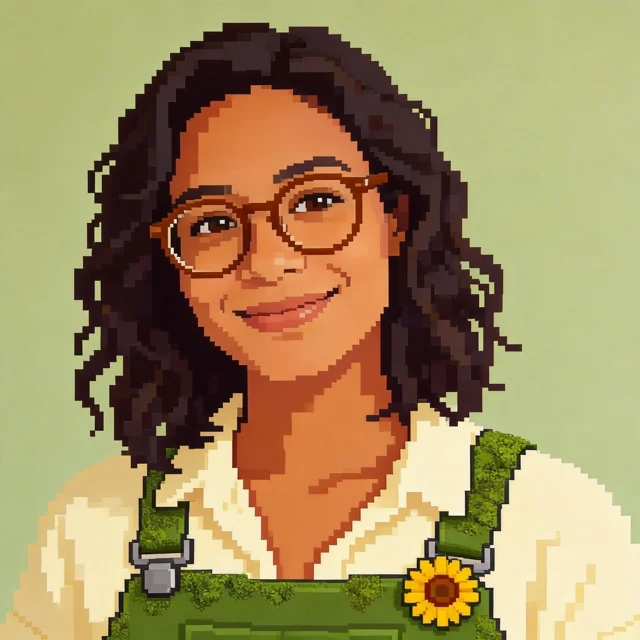
Give your next farmer a face, an outfit and a little personality. This Stardew character creator turns your photo, character reference or written description into an original pixel-art portrait or full-body character, ready to download and share.
One 2K image · 2 credits per generation · Sign in to create
Describe an original farmer, or try a text prompt from the examples below.
Your character artwork
Your generated portrait or farmer will appear here.
Your character artwork
Your generated portrait or farmer will appear here.
Your recent results for the selected mode appear here, including images made with other character tools.
Stardew character creator text-to-image examples
These original images show what you can make from text with the Stardew character creator. Pick a character to load its prompt in From text mode, then make it your own. New results will vary.
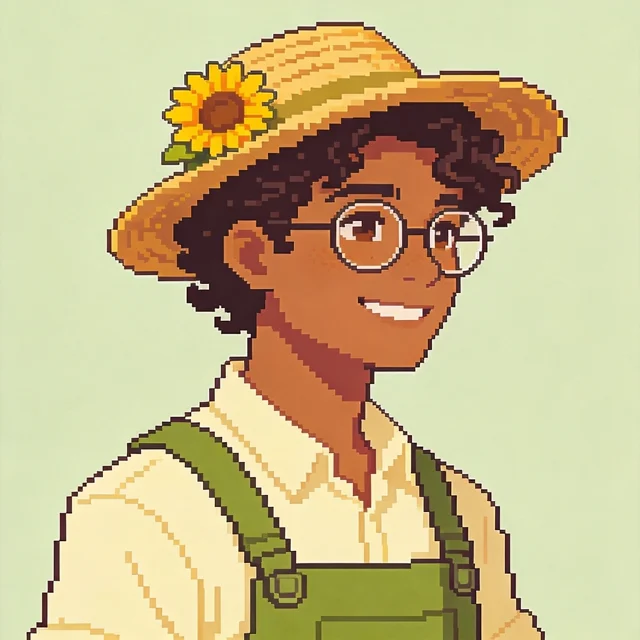
Spring farmer portrait
A friendly square portrait with a clear face, a pale background and one memorable accessory. Start here for a profile picture.
Describe your Stardew character
A cheerful young adult farmer with warm brown skin, curly dark hair, round glasses and a straw hat. Moss-green overalls over a cream shirt, a small sunflower tucked into the hat. Head-and-shoulders portrait, three-quarter view, simple pale sage background, warm spring colors.
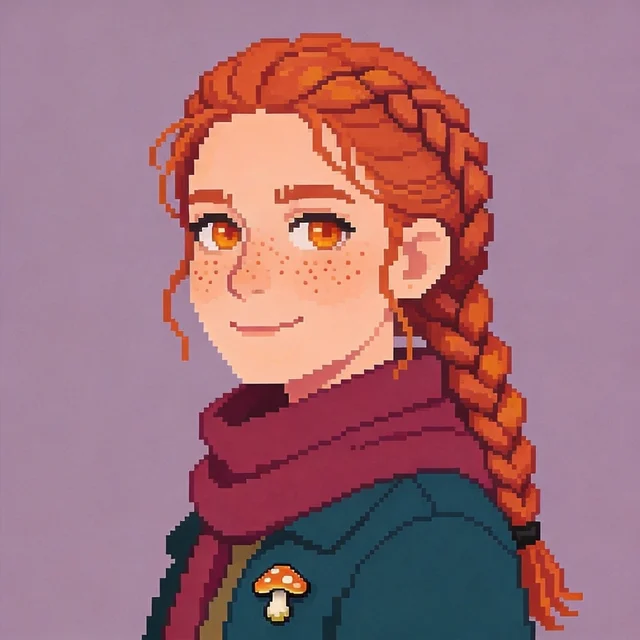
Forest forager OC
Copper hair and a plum scarf establish a small, repeatable palette. The mushroom brooch gives this woodland OC a visual story.
Describe your Stardew character
An original forest forager with copper-red braided hair, freckles and amber eyes. Plum scarf, dark teal jacket and a tiny mushroom brooch. Head-and-shoulders portrait, calm smile, simple muted lavender background, autumn woodland palette.
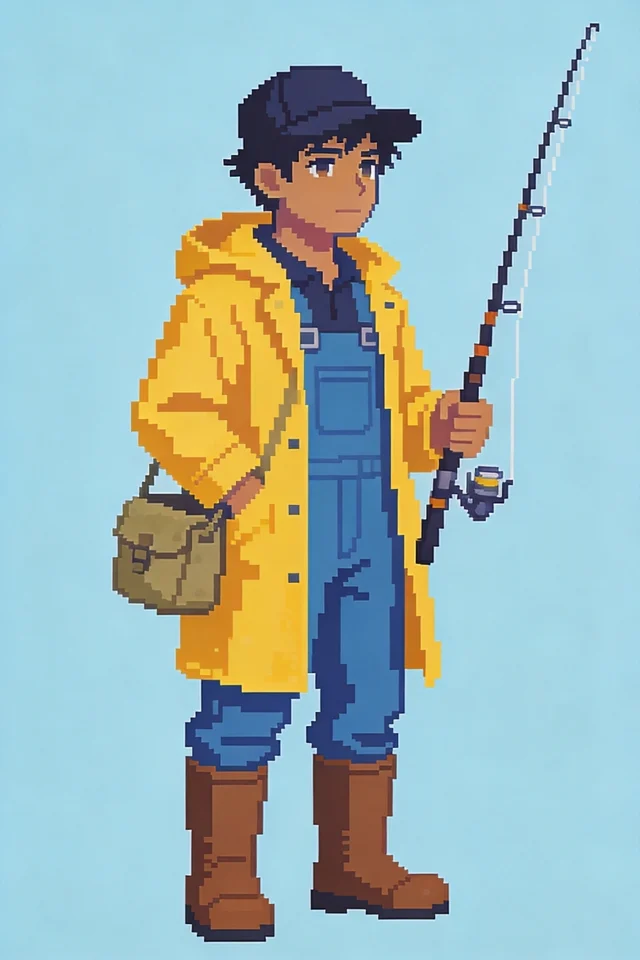
Full-body coastal fisher
A vertical composition leaves room for boots, equipment and the complete outfit. Ask for the whole figure to stay inside the frame.
Describe your Stardew character
An original coastal fisher with short navy hair, medium olive skin and a yellow raincoat over blue overalls. Brown boots, a fishing rod and a small canvas tackle bag. Single full-body character, all boots and hat visible, relaxed standing pose, plain pale blue background.
Turn a photo into a Stardew character
Use the Stardew character creator with a photo or an existing character illustration. The first image guides the face, hair and recognizable details; your prompt guides the pixel style and any outfit changes. Start with one clearly visible person and a simple background.
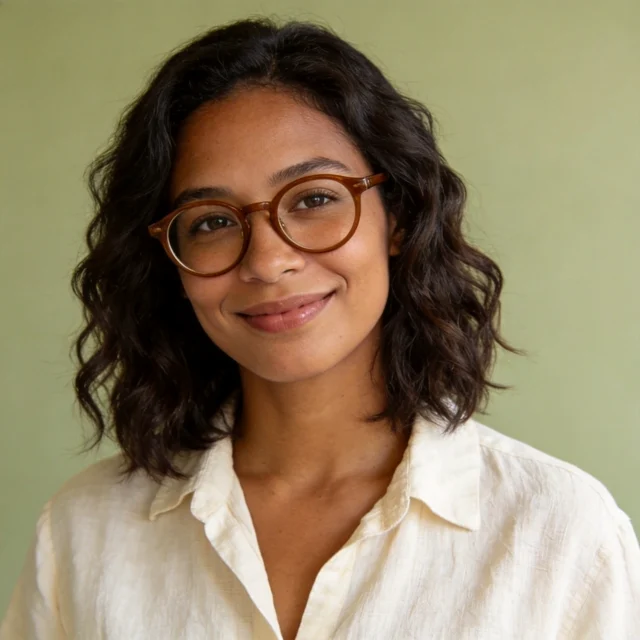
Reference portrait · AI-generated personImage-to-image result · Pixel-art farmer
An actual image-to-image example: the synthetic reference portrait was sent to the same model with the tool’s reference instructions. The result adds green overalls and a sunflower pin. Reference details guide the output, but an exact likeness is not guaranteed.
Watch the Stardew character creator example reel
See three text-to-image examples—the spring farmer, forest forager and coastal fisher—with their design notes. This short showcase presents generated still images. The photo-to-character comparison above demonstrates the separate image-to-image workflow.
18-second example showcase · Three generated still images
A Stardew Valley character creator for your own ideas
Start with the character you imagine: a quiet beekeeper, a sea-loving farmer or an adventurer returning from the mines. Our Stardew character creator can work from your words or an uploaded reference image to shape the face, palette, clothing and framing. Think of this Stardew Valley character builder as a sketchbook for original farmers. The finished image is useful for avatars, fan art and character planning; individual details can change between generations.
If you are looking for a Stardew Valley character maker or a Stardew character maker, begin with one clear subject. Describe the details that matter most before adding a background or extra props.
How to use the Stardew character creator
Create a Stardew Valley character in three steps: choose text or a reference image, describe the design, then generate and download the result.
1
Start with a description or reference image
Choose From text to write a description, or From an image to upload a portrait or character illustration. You can also choose an image from your existing library. Use one clear subject as the first reference; up to four extra images can guide clothing or colors. The upload picker accepts files up to 5 MB each.
2
Choose a frame and generate
Describe the details to preserve or change. Choose 1:1 for a portrait, or 2:3 or 3:4 for a standing farmer. Sign in and check the displayed cost before generating. Both modes of the Stardew character creator produce one 2K image for 2 credits. Each new generation uses credits.
3
Review, download and keep your prompt
Check the face, hands, clothing and accessories at full size. Download the original image from the result panel and save the prompt for future ideas. To revise a design, use From an image with the previous result as a reference and describe a specific change. An identical face is not guaranteed.
Stardew Valley portrait maker for expressive avatars
A portrait works best when the eyes, hairstyle and one accessory carry the design. Use this Stardew character creator for a close crop with a simple background, leaving a little space above the hair or hat. If you are creating your own Stardew Valley portrait, a limited palette helps the face stay readable when the image is small. This Stardew Valley avatar maker is suited to profile pictures, roleplay portraits and community posts.
For a Stardew avatar maker prompt, try “gentle smile, round glasses, chestnut curls, cream shirt, sage background.” To base the avatar on yourself or an existing character, switch to From an image and upload a clear portrait. Avoid a busy landscape if the face will be cropped into a circle.
Use the Stardew character creator for full-body farmers
A full-body design gives clothing and equipment room to tell the story. Choose a vertical ratio, name the shoes and ask for the entire figure inside the frame. Use the Stardew character creator to explore male or female farmers, or a character of any gender. Describe the face, build and posture you have in mind, then add the outfit and a favorite tool.
Use it as a Stardew outfit creator to explore a raincoat, apron, fishing vest or flower-festival look. These are visual concepts, not a list of clothing items available in the game.
Stardew Valley OC maker for a farmer with a story
Give your original character a job, a favorite season and one recognizable detail. A forest forager might wear mossy greens and a mushroom pin; a coastal fisher might carry a canvas tackle bag. The Stardew character creator turns that short brief into a visual starting point for a farmer OC. Keep the same written details when exploring another outfit, and review each result for changes.
If you use a Stardew Valley OC profile maker, add your downloaded portrait and write the biography separately. This tool creates the artwork; it does not fill out a profile card or invent game statistics.
Write a better Stardew character creator prompt
A useful Stardew Valley pixel art maker prompt describes a few visible choices. More adjectives do not always produce a clearer character. For a cute Stardew character, try soft facial features, a compact silhouette and one playful accessory.
Choose three anchor details
Name the hairstyle, main outfit color and signature accessory first. For example: copper braid, plum scarf, mushroom brooch. With a photo reference, say which details to keep and which to change. Keep these anchors when exploring Stardew Valley character ideas.
State the crop explicitly
Use “head-and-shoulders” for a portrait and “single full-body figure” for a farmer. Ask for plain background space around the silhouette. The aspect ratio controls the canvas; your words guide the composition.
Keep the pixel style readable
Request crisp pixel clusters, simple shading and a small color palette. Avoid photographic lighting and tiny lettering. Inspect the result before resizing: AI pixel-style artwork may still need manual cleanup.
Know what your character image includes
Both modes of the Stardew character creator make one standalone raster image at the 2K setting. A square request targets 2048 × 2048; other ratios use different dimensions. From an image accepts up to 5 references, with a 5 MB limit per file in the upload picker. Download preserves the provider’s original image format. A large pixel-style illustration is different from a game sprite with exact tile dimensions and animation frames.
For a mod or custom portrait pack, you still need to check dimensions, expressions, layout and installation requirements for your chosen workflow. This independent fan-inspired tool is not affiliated with Stardew Valley or ConcernedApe and does not edit your save file.
A Stardew portrait maker turns a character idea or a reference photo into a pixel-art illustration inspired by cozy farming games. Use our Stardew character creator for a face portrait, avatar or standing farmer. Describe an original character in From text, or guide its appearance with a photo in From an image.
Can I customize hair, clothing and accessories?
Yes. In the Stardew character creator, describe the hairstyle, hair color, skin tone, outfit and accessories in your prompt. Image-to-image mode uses your first reference for the character’s appearance and any additional images for clothing or colors. Exact accessory placement and identical faces are not guaranteed.
Can I create full-body Stardew characters?
Yes. The Stardew character creator supports 2:3 and 3:4 for a standing farmer. Ask for a single full-body character with the entire head, outfit and boots visible. Full-body images are useful for outfit planning and character concepts. They are not automatically arranged into a walking sprite sheet.
Can I turn my photo into a Stardew avatar here?
Yes. Select From an image in this Stardew character creator, upload a clear photo and describe the pixel-art look you want. Start with one visible person and good lighting. The first image guides identity; up to four additional references can guide clothing or colors. Each uploaded file can be up to 5 MB. The transformation costs the same credits as text-to-image.
Can I use the result inside Stardew Valley?
You can use the image as a design reference, but it is not ready for automatic game import. A portrait mod or sprite workflow may require specific dimensions, expression panels, transparency and file placement. Check the requirements of the mod you use and prepare the artwork separately.
How many credits does the Stardew character creator use?
Both text-to-image and image-to-image use 2 credits per generation and return one 2K image. Adding reference images does not add a separate credit charge. Sign in with enough credits before starting. Each revision is a new generation. Failed tasks return their reserved credits through the existing task system; a job that is still processing has not failed.
How do I download my character portrait?
When generation finishes, use Download in the result panel to save the original image. Your signed-in history follows the selected mode: text-to-image or standard image-to-image. Save the file locally if you want to crop it for an avatar or prepare a portrait pack.
Are the example images and video actual game assets?
No. The examples are original AI-generated images, including a synthetic reference portrait and its image-to-image result. The video is an edited showcase of three text-to-image stills. They demonstrate possible compositions, not official game artwork, gameplay or animation generated by this page.
Build your next farmer with the Stardew character creator
Try the Stardew character creator online with a favorite outfit, an unusual hobby or a new farmer OC. Write an idea, upload your own reference image or start with an example, then bring your next character into view.